
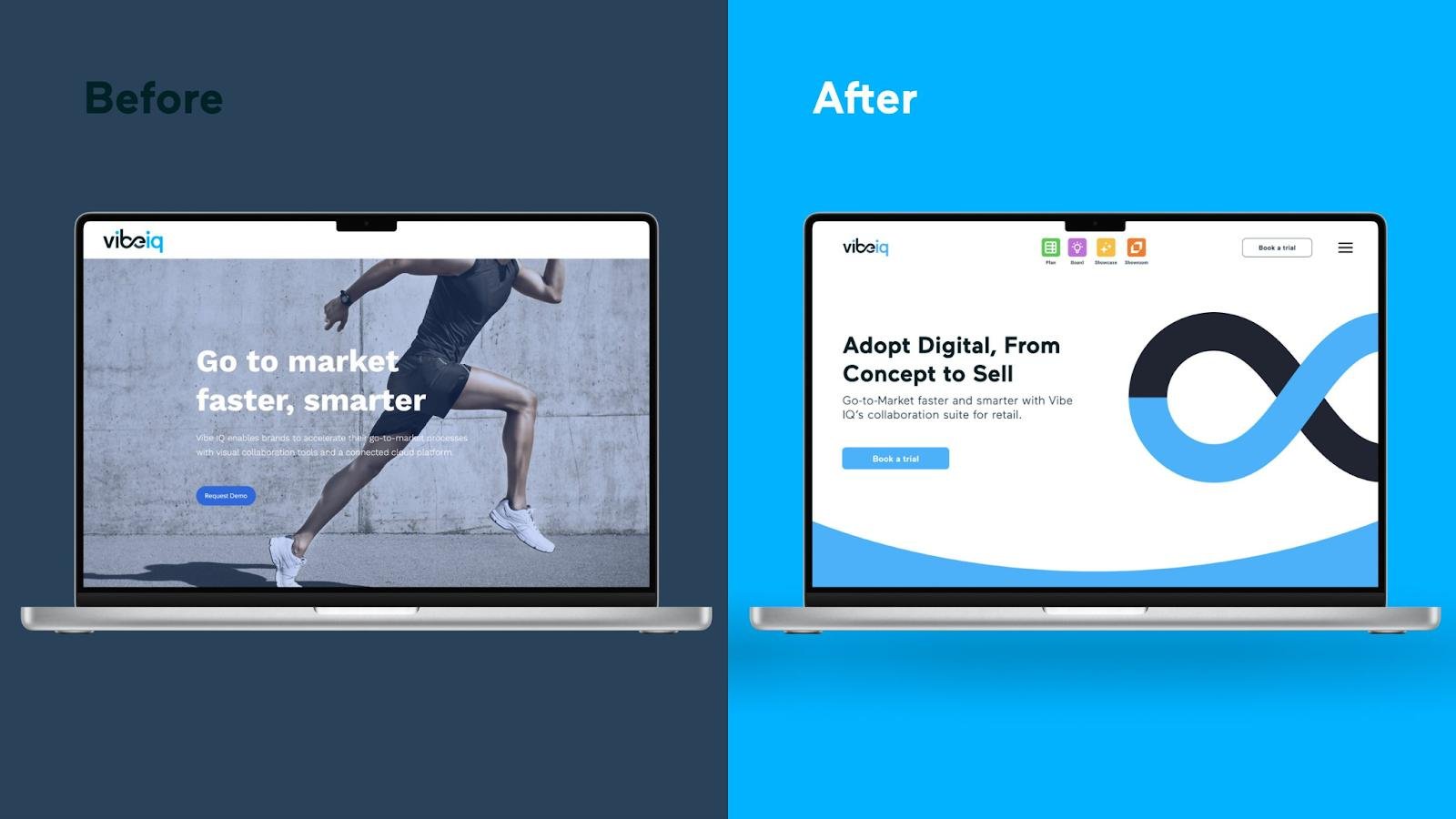
Your website is often the first place potential customers go to learn about your business. But what happens when it starts looking outdated, loading slowly, or failing to generate enquiries?
You may be considering a website redesign or a complete website rebuild. While these terms are often used interchangeably, they involve different levels of work.
Choosing the right approach can save your business time, money, and unnecessary development work.
Let’s understand the difference and how to decide which one your business actually needs.
What Is a Website Redesign?
A website redesign focuses on improving how your existing website looks, feels, and works for visitors.
It usually keeps the existing website platform and technical foundation while updating its visual appearance and user experience.
A redesign may include:
- Updating the website layout, colours, fonts, and branding.
- Improving navigation and page structure.
- Making the website more mobile-friendly.
- Rewriting content and improving calls to action.
- Updating images, graphics, and other visual elements.
- Improving how visitors find information and contact your business.
Example: A consulting company has a functional WordPress website, but its design looks outdated and visitors struggle to find its services. A redesign can improve the layout, navigation, and overall presentation without replacing the entire website.

What Is a Website Rebuild?
A website rebuild goes deeper. Instead of mainly improving the appearance, it replaces or substantially changes the website’s underlying technical foundation.
A rebuild may be necessary when the existing platform, code, or architecture cannot support the business’s requirements.
It may involve:
- Moving to a different content management system (CMS).
- Replacing outdated or poorly maintained code.
- Restructuring the website architecture.
- Developing new features and integrations.
- Improving database structure and backend functionality.
- Addressing major performance, security, or scalability limitations.
Example: An online store uses an outdated platform that cannot support new payment options, inventory integrations, or the features the business needs. A redesign alone will not solve these limitations. A rebuild may be the better long-term solution.
Website Redesign vs. Website Rebuild: Key Differences
| Website Redesign | Website Rebuild |
|---|---|
| Focuses on appearance and user experience | Focuses on the technical foundation |
| Usually retains the existing platform | May replace the platform or CMS |
| Updates layouts, navigation, and content | Reworks code, architecture, and functionality |
| Suitable when the current website works technically | Suitable when the existing technology is limiting the business |
| Often involves a narrower scope | Usually involves a larger development scope |
The important distinction is simple: a redesign improves the experience; a rebuild changes the foundation.
Some projects require both.
5 Signs Your Business Needs a Website Redesign
Your website may not need to be rebuilt from scratch. If the technical foundation is still reliable, a redesign could be enough.
Consider a redesign if:
1. Your Website Looks Outdated
Design trends and customer expectations change. An old-looking website may make your business appear less professional, even if your services are excellent.
2. Your Branding Has Changed
If your business has updated its logo, colours, services, or positioning, your website should reflect the new identity.
3. Visitors Struggle to Navigate
Confusing menus, cluttered pages, and unclear service descriptions can make it difficult for visitors to find what they need.
4. Your Website Is Not Mobile-Friendly
A website that looks good on desktop but performs poorly on mobile can create a frustrating experience for visitors.
5. Your Website Is Not Generating Enough Enquiries
Your website should guide visitors towards meaningful actions, such as requesting a quote, booking a consultation, or contacting your team. Better page layouts and clearer calls to action may help improve conversions.
5 Signs Your Business Needs a Website Rebuild
Sometimes, changing the design is not enough. Your website may have deeper technical problems that require a rebuild.
Consider a rebuild if:
1. Your Website Runs on Outdated Technology
An unsupported CMS, outdated code, or incompatible components can create maintenance and security challenges.
2. Adding New Features Is Difficult
If every new feature requires complicated workarounds, your existing architecture may be limiting your business.
3. Your Website Has Persistent Performance Issues
If technical problems continue despite optimisation, the underlying code, hosting setup, or architecture may need attention.
4. Your Integrations No Longer Work Properly
Businesses often rely on payment gateways, CRMs, booking systems, inventory tools, and other third-party services. If your website cannot support the integrations you need, a rebuild may be worth considering.
5. Your Website Cannot Support Business Growth
A website built for a small business may struggle when the company expands its services, products, traffic, or operational requirements.
What About Cost and Time?
The cost and timeline depend on the website’s size, complexity, features, platform, and project scope.
A redesign may involve fewer technical changes, particularly when the existing platform is reliable. A rebuild generally requires more planning and development because more of the underlying system is being replaced.
Before choosing either option, ask for a clear project scope that explains:
- What will be retained from the existing website?
- What needs to be redesigned or replaced?
- Which features and integrations are included?
- Will existing content and URLs be preserved?
- What testing and post-launch support are included?
Avoid choosing an option based only on its initial price. The right solution should address the actual problems without introducing unnecessary complexity.
Don’t Forget SEO During a Redesign or Rebuild
A website redesign or rebuild can affect your search visibility if important SEO elements are overlooked.
Before launching the updated website, make sure you:
- Review existing pages that receive organic traffic.
- Preserve valuable content and relevant page URLs wherever possible.
- Set up appropriate redirects when URLs change.
- Update internal links and XML sitemaps.
- Check page titles, meta descriptions, and heading structure.
- Test mobile usability and page performance.
- Monitor indexing and traffic through Google Search Console.
Google recommends planning URL mappings and redirects when moving pages or changing website URLs. Poorly managed redirects can create problems for visitors and search engines.
You can read Google’s official guide to site moves and URL changes.
So, Which One Does Your Business Need?
The answer depends on what is holding your website back.
- Choose a redesign if your website works properly but looks outdated, has confusing navigation, or does not represent your brand effectively.
- Choose a rebuild if your current platform, code, or architecture prevents you from adding features, maintaining performance, or supporting business growth.
- Consider a combination if your website needs both a better customer experience and a stronger technical foundation.
You do not always need to start from scratch. A professional assessment can help identify which parts of your website are worth keeping and which need improvement.
Give Your Website the Upgrade Your Business Needs
Your website should support your business goals, not hold them back.
Whether you need a fresh design, improved functionality, or a completely new website, choosing the right approach starts with understanding your current challenges.
At Website Desks, we help businesses improve their online presence through website design, development, maintenance, and digital solutions.
Explore our website and digital services or learn more about our website maintenance and IT support.
Ready to improve your website? Contact Website Desks to discuss your project.
Frequently Asked Questions
Is a website redesign cheaper than a rebuild?
A redesign can be less expensive when the existing platform and technical foundation are reliable. However, the final cost depends on the website’s complexity and the work required.
Can I redesign my website without changing its CMS?
Yes. A redesign can retain your existing CMS, such as WordPress, while updating the visual design, layouts, navigation, and content.
How often should a business redesign its website?
There is no fixed schedule. Review your website regularly and consider a redesign when its appearance, user experience, branding, or business goals are no longer aligned.
Will rebuilding my website affect SEO?
It can. Changes to URLs, content, site structure, and technical settings may affect search visibility. Proper planning, redirects, and post-launch monitoring help reduce avoidable problems.
Can a website redesign include new features?
Yes. A redesign can include new features if the existing platform supports them. If the required functionality cannot be implemented reliably, a rebuild may be necessary.